Product 01 · Available now

RAWSequencer

Review Faster. Review Smarter.

A high-performance playback, comparison and review application built for VFX, CGI, animation and AI creators.
EXR · DPX · PNG · JPG · TIFF sequences MP4 video playback GPU-accelerated Up to 6 synced versions Windows 10 / 11 · 64-bit only RAW Sequencer 1.0
RAW Sequencer · Main interface 1280 × 720 · 24 FPS · 144 FRAMES
RAW Sequencer main interface showing an image sequence, display and grade controls, version stack and timeline

01 — Capabilities

Everything reviewneeds. Nothing more.

  • 01EXR & image sequence playbackOpen full EXR and image sequences directly, no conversion step.
  • 02MP4 / video playbackPlay delivered video alongside raw renders in the same session.
  • 03GPU-accelerated playbackReal-time playback driven by the GPU, not the interface.
  • 04Frame-accurate scrubbingLand on the exact frame, every time, at any speed.
  • 05Up to six synchronized versionsLock six versions to a single timeline and review together.
  • 06Side-by-side comparisonLay versions out cleanly for direct visual judgement.
  • 07A/B compareSwitch between two takes instantly without losing position.
  • 08WipeDrag a split across two versions to inspect the seam.
  • 09Frame annotationsDraw and note directly on the frame under review.
  • 10Review toolsPurpose-built controls for supervisor and client passes.
  • 11Color inspectionInspect values and channels without leaving the player.
  • 12Contact sheetsGenerate frame overviews for notes, sign-off and archive.

02 — Multi-view

Six views.One timeline.

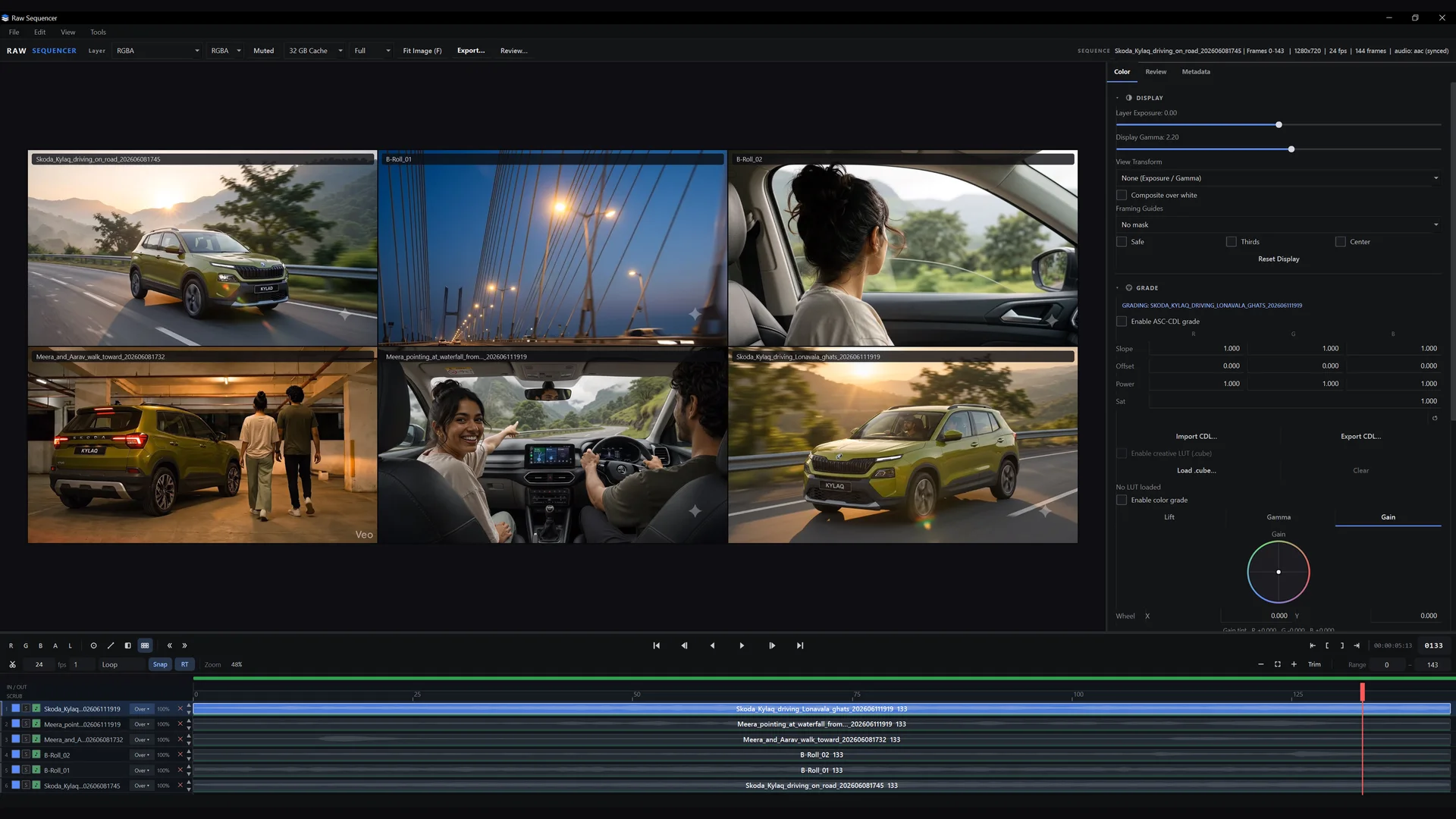
Multi-view review · 6 up Sync playback · shared playhead
RAW Sequencer reviewing six clips at once in a grid, all synchronized to one timeline

Review up to six clips at once — or compare multiple variations of the same shot — all playing together in perfect sync.

  • Up to 6 views
  • Sync playback
  • Versions & clips
  • One timeline

03 — Comparison

See the change.Not the interface.

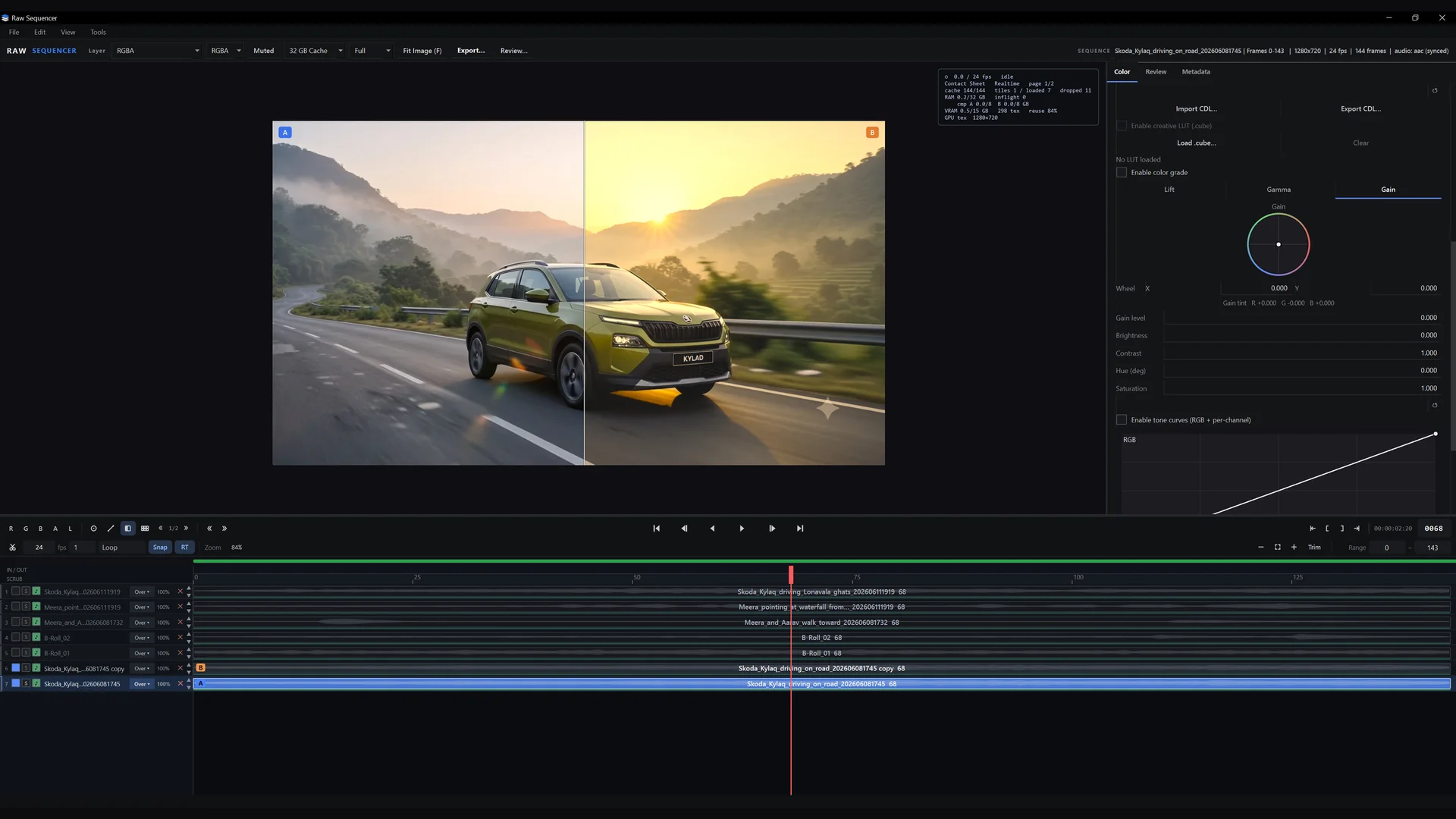
A/B, wipe, side-by-side.

Compare up to six synchronized versions on one timeline. Every comparison mode shares the same playhead, so notes stay on the correct frame and nothing drifts out of sync.
ModesSide-by-side · A/B · Wipe
AnalysisColor inspection
SyncShared frame-accurate playhead
NotesAnnotations per frame
Comparison view 02 / 03
RAW Sequencer wipe comparison showing two graded versions of the same frame side by side

04 — Review tools

Mark it.Review it.

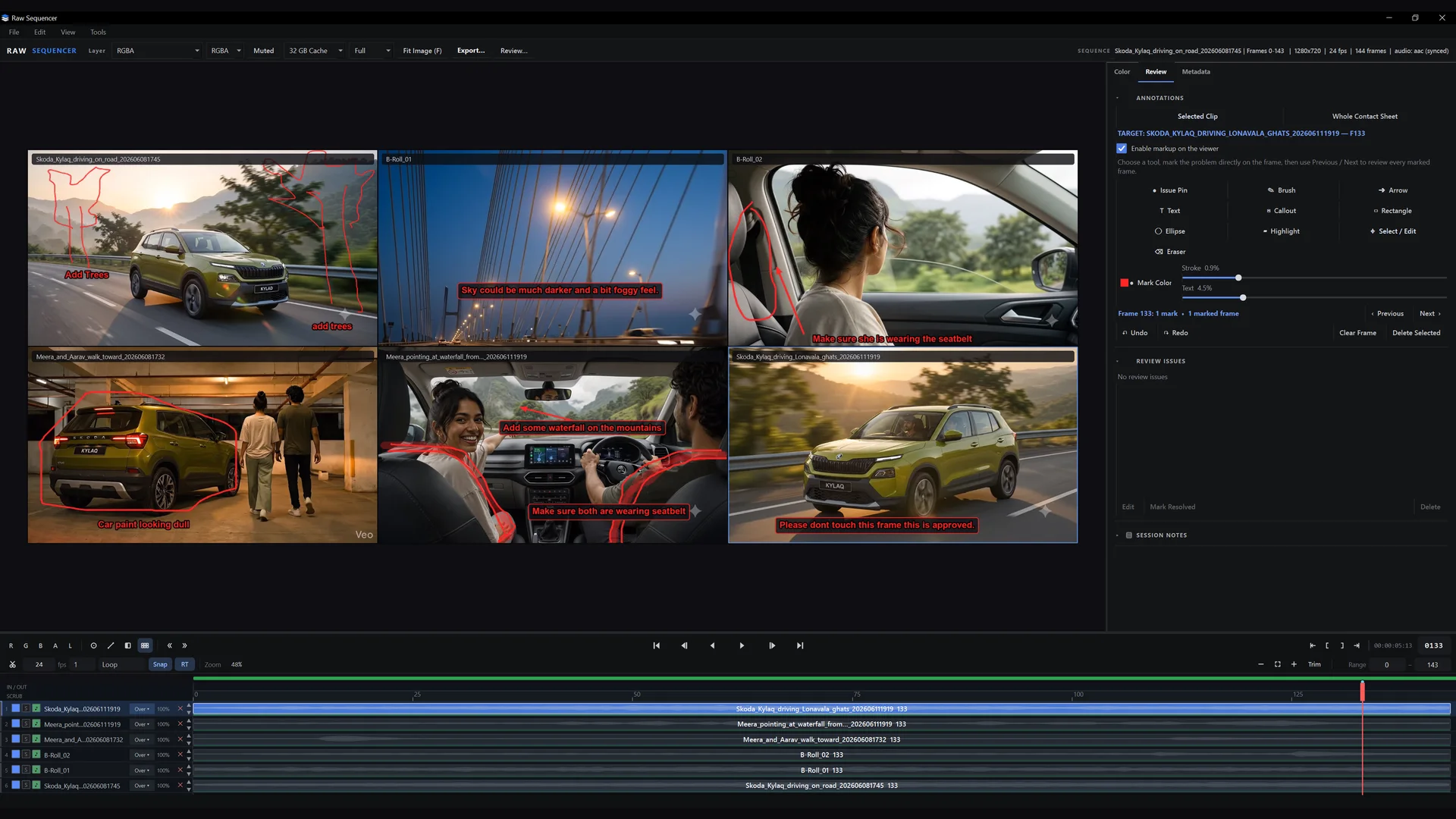
Annotations · contact sheet Frame 133 · 1 mark
RAW Sequencer contact sheet with drawn annotations and text notes on individual frames

Built for the review pass.

Draw, highlight and add feedback directly on the frame. Turn a sequence into a readable contact sheet for supervisor notes, client sign-off and archive — with the frame number always attached to the note.

  • Supervisor pass
  • Client review
  • Dailies
  • Shot archive
Mark upDraw · brush · arrow · shapes
NotesText notes & callouts
NavigateJump between marked frames
OutputWhole contact sheet review

05 — Color

Controlevery frame.

Inspect without leaving review.

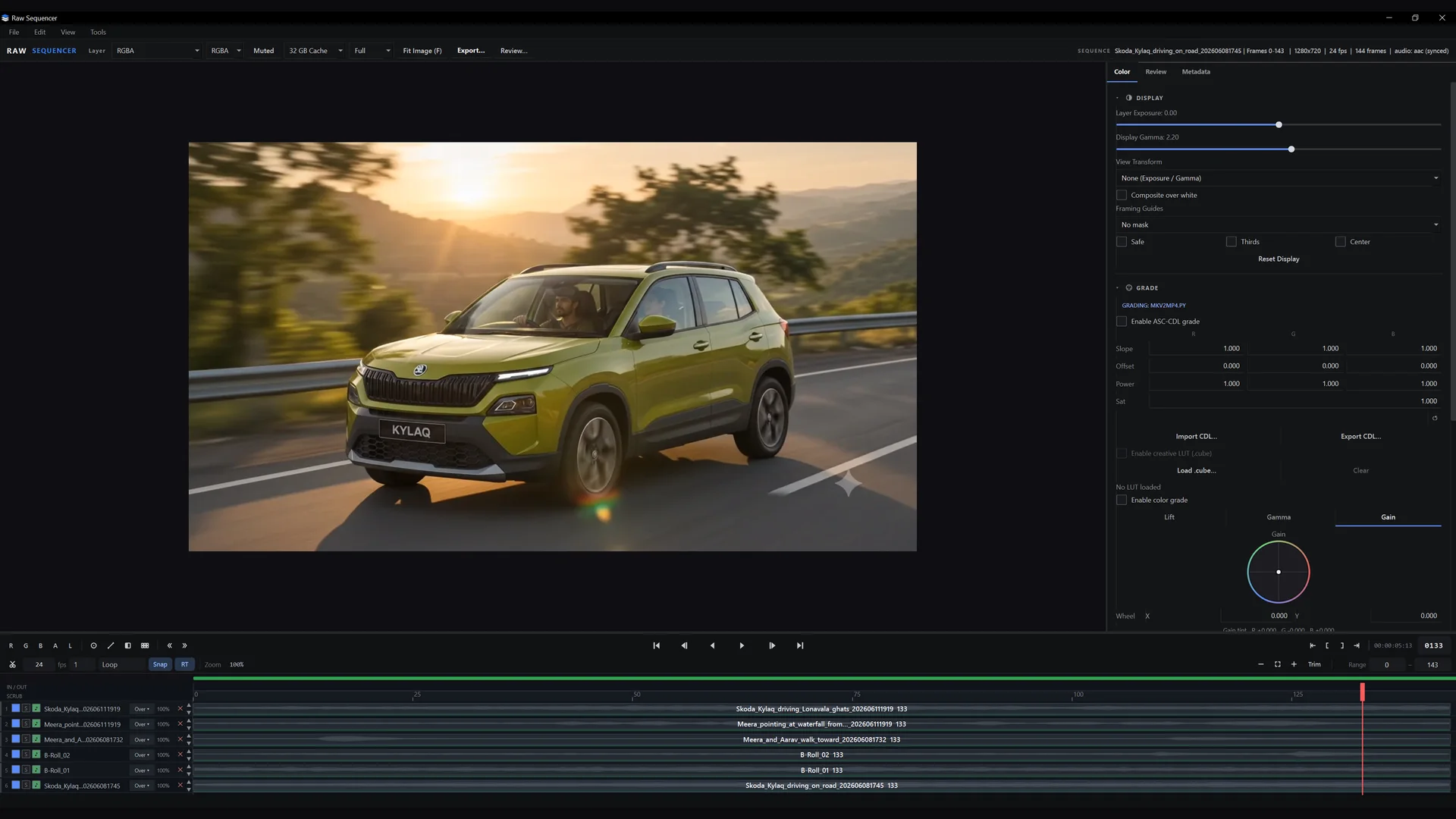
Exposure, gamma, grade and LUT / CDL controls sit beside the viewer, so colour checks happen in the same pass as the review — no round trip to another application.
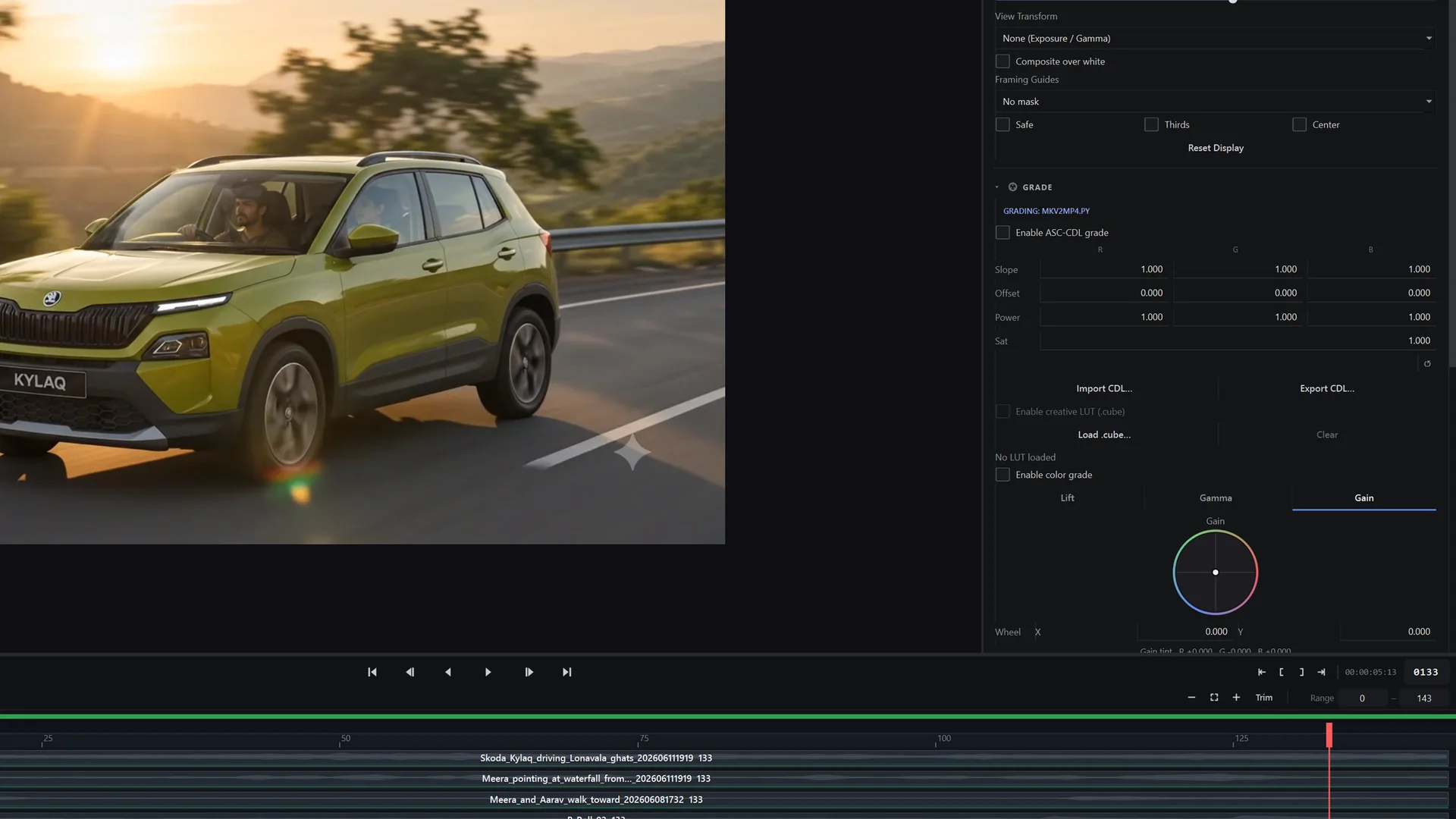
DisplayViewer exposure & gamma
GradeSlope · offset · power · sat
PipelineLUT / CDL import & export
GuidesSafe · thirds · center
Color inspection 1280 × 720 · 24 FPS
RAW Sequencer colour inspection with exposure, gamma, grade and LUT controls beside the viewer

06 — Pricing

One licence.Two lengths.

1 Year Licence
₹3,499+ GST

The complete application — same features for everyone.

  • Full RAW Sequencer for Windows
  • Personal or commercial use
  • Updates for 12 months
  • Direct email support
Buy Now

Prices shown in INR. Same application in both licences — no studio, seat or commercial tier. Runs on Windows 10 / 11 · 64-bit. Questions before buying? rawcgi@outlook.com

What the licence covers

  • A fixed term, not a subscription. You pay once for 1 year or 3 years. Nothing renews automatically and no card is stored or charged again.
  • Everything is included for the whole term. The complete application, every update released during the term, and direct email support.
  • When the term ends, RAW Sequencer needs a new licence to keep running. Renew whenever you like — your projects, settings and files are never touched.
  • Activation is handled personally, not automatically. Licence keys are issued by hand, so allow up to 24 hours after payment — usually much sooner. Changing or reinstalling machines is fine: email rawcgi@outlook.com and the key is re-issued within the same 24 hours.

07 — Requirements

Built for Windows workstations.

Operating system

Windows 10 / 11 · 64-bit only. There is no macOS or Linux build.

Graphics

NVIDIA GPU recommended · 8 GB VRAM minimum. Playback and comparison are GPU-accelerated.

Memory

32 GB system RAM required. Large EXR sequences are held in RAM for real-time playback.

Tested on

NVIDIA RTX 3090 with 64 GB and 128 GB RAM systems. Development and playback benchmarks are run on this hardware.

Current build

RAW Sequencer 1.0 · Windows 64-bit

08 — FAQ

Before you buy.

Which operating systems are supported?

RAW Sequencer runs on Windows 10 / 11 · 64-bit only. There is no macOS or Linux version today.

Is this a subscription?

No. It is a one-time payment for a fixed licence term — 1 year or 3 years. Nothing renews automatically and no card details are stored.

What happens when my licence expires?

The application needs an active licence to run, so it stops opening when the term ends. Buying a new licence reactivates the same installation instantly — your projects, annotations and settings stay exactly where they are.

Can I use it commercially?

Yes. Every licence covers freelance, studio and client work. There is no separate commercial tier and no extra fee.

How is activation handled?

Manually, by a person — not by an automated system. Your licence key is sent to the email address used at checkout within 24 hours of payment, and usually much sooner. Enter it once on your workstation. If you reinstall Windows or move to a new machine, email rawcgi@outlook.com and a replacement key is issued within the same 24 hours.

What hardware do I need?

NVIDIA GPU recommended · 8 GB VRAM minimum and 32 GB system RAM. Tested on an NVIDIA RTX 3090 with 64 GB and 128 GB RAM systems. Fast local storage helps with heavy EXR sequences.

Build.Review.Create.

For product enquiries, licensing, support or feedback:

rawcgi@outlook.com